In this post, I’m excited to share the code that I use to create a comprehensive date table in a Notebook within Microsoft Fabric.
If you are using Notebooks for your ETL processes or want to leverage GitHub or Azure DevOps for version control and continuous integration, this approach is an excellent way to create and manage your date tables.
PS: This calendar contains Norwegian names and string values. Feel free to change them to your language or remove the translations for English.
Code for Date Table
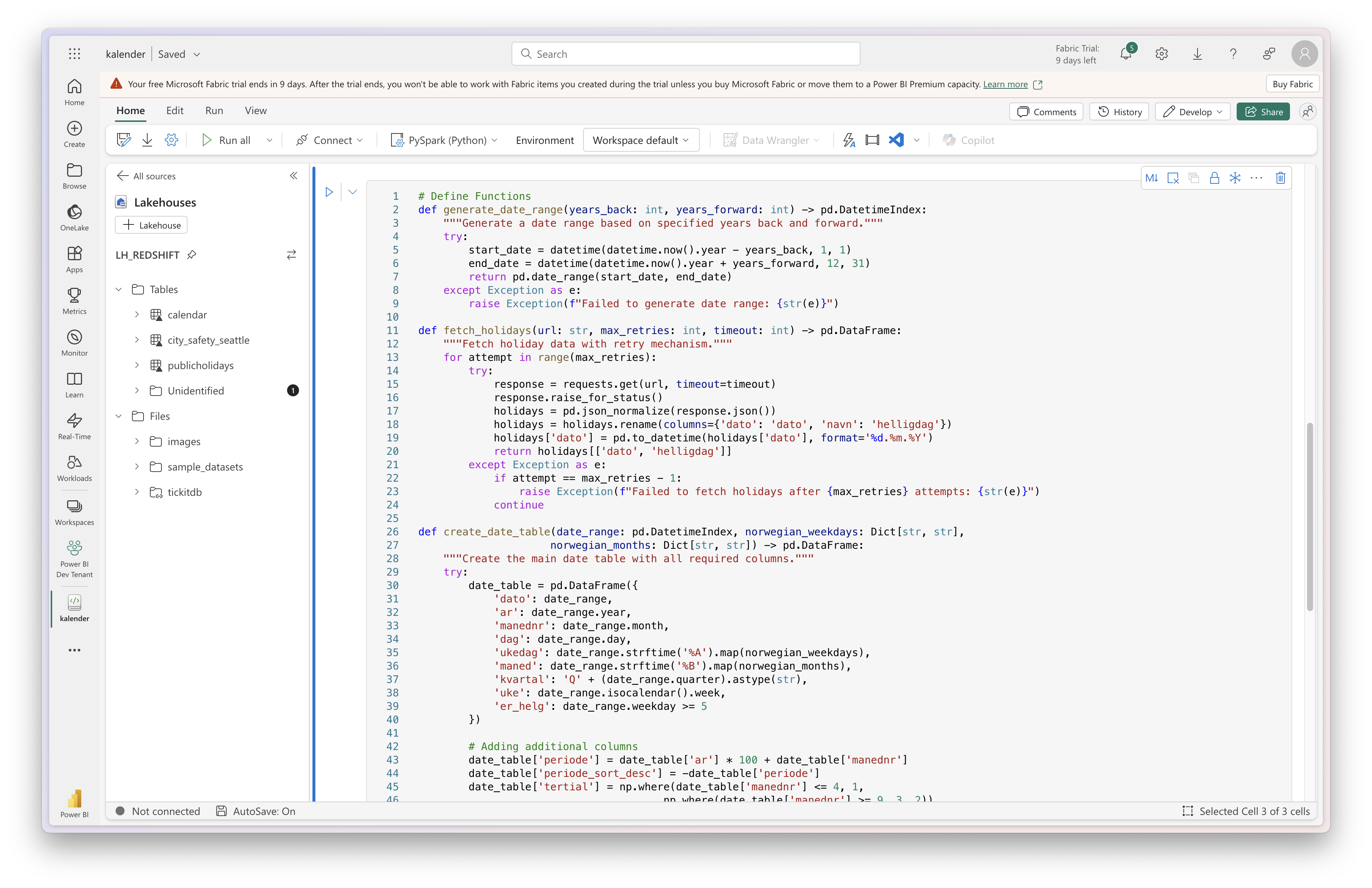
Below is the code that I use:
# Import modules
import pandas as pd
import numpy as np
import requests
from datetime import datetime, timedelta
from typing import Optional, Dict, Any

# Configuration and Constants
CONFIG = {
    'YEARS_BACK': 8,
    'YEARS_FORWARD': 1,
    'HOLIDAYS_URL': "https://opencom.no/dataset/49cb0ec9-e139-4f79-bc5e-309c4faf8396/resource/f8f57a81-a22b-4c4a-b06d-2b25ee53732f/download/helligdagskalender.json",
    'MAX_RETRIES': 3,
    'TIMEOUT_SECONDS': 10
}

NORWEGIAN_WEEKDAYS = {
    'Monday': 'Mandag',
    'Tuesday': 'Tirsdag',
    'Wednesday': 'Onsdag',
    'Thursday': 'Torsdag',
    'Friday': 'Fredag',
    'Saturday': 'Lørdag',
    'Sunday': 'Søndag'
}

NORWEGIAN_MONTHS = {
    'January': 'Januar',
    'February': 'Februar',
    'March': 'Mars',
    'April': 'April',
    'May': 'Mai',
    'June': 'Juni',
    'July': 'Juli',
    'August': 'August',
    'September': 'September',
    'October': 'Oktober',
    'November': 'November',
    'December': 'Desember'
}

WEEKDAY_SORT_MAPPING = {
    'Mandag': 1,
    'Tirsdag': 2,
    'Onsdag': 3,
    'Torsdag': 4,
    'Fredag': 5,
    'Lørdag': 6,
    'Søndag': 7
}

# Define the table name parameter
table_name = "kalender"
write_path = f"Tables/{table_name}"

# Define Functions
def generate_date_range(years_back: int, years_forward: int) -> pd.DatetimeIndex:
    """Generate a date range based on specified years back and forward."""
    try:
        start_date = datetime(datetime.now().year - years_back, 1, 1)
        end_date = datetime(datetime.now().year + years_forward, 12, 31)
        return pd.date_range(start_date, end_date)
    except Exception as e:
        raise Exception(f"Failed to generate date range: {str(e)}")

def fetch_holidays(url: str, max_retries: int, timeout: int) -> pd.DataFrame:
    """Fetch holiday data with retry mechanism."""
    for attempt in range(max_retries):
        try:
            response = requests.get(url, timeout=timeout)
            response.raise_for_status()
            holidays = pd.json_normalize(response.json())
            holidays = holidays.rename(columns={'dato': 'dato', 'navn': 'helligdag'})
            holidays['dato'] = pd.to_datetime(holidays['dato'], format='%d.%m.%Y')
            return holidays[['dato', 'helligdag']]
        except Exception as e:
            if attempt == max_retries - 1:
                raise Exception(f"Failed to fetch holidays after {max_retries} attempts: {str(e)}")
            continue

def create_date_table(date_range: pd.DatetimeIndex, norwegian_weekdays: Dict[str, str],
                     norwegian_months: Dict[str, str]) -> pd.DataFrame:
    """Create the main date table with all required columns."""
    try:
        date_table = pd.DataFrame({
            'dato': date_range,
            'ar': date_range.year,
            'manednr': date_range.month,
            'dag': date_range.day,
            'ukedag': date_range.strftime('%A').map(norwegian_weekdays),
            'maned': date_range.strftime('%B').map(norwegian_months),
            'kvartal': 'Q' + (date_range.quarter).astype(str),
            'uke': date_range.isocalendar().week,
            'er_helg': date_range.weekday >= 5
        })

        # Adding additional columns
        date_table['periode'] = date_table['ar'] * 100 + date_table['manednr']
        date_table['periode_sort_desc'] = -date_table['periode']
        date_table['tertial'] = np.where(date_table['manednr'] <= 4, 1,
                                       np.where(date_table['manednr'] >= 9, 3, 2))
        date_table['ukedag_sort'] = date_table['ukedag'].map(WEEKDAY_SORT_MAPPING)

        return date_table
    except Exception as e:
        raise Exception(f"Failed to create date table: {str(e)}")

def create_spark_table(df: pd.DataFrame, table_name: str, write_path: str) -> None:
    """Create Spark Delta table from DataFrame."""
    try:
        # Disable Arrow optimization
        spark.conf.set("spark.sql.execution.arrow.pyspark.enabled", "false")

        # Set datetime rebase mode
        spark.conf.set("spark.sql.parquet.datetimeRebaseModeInWrite", "CORRECTED")

        # Convert to Spark DataFrame and write
        spark_df = spark.createDataFrame(df)
        spark_df.write.format("delta").mode("overwrite").option("overwriteSchema", "true").save(write_path)

        # Create Delta table
        spark.sql(f"CREATE TABLE IF NOT EXISTS {table_name} USING DELTA LOCATION '{write_path}'")
    except Exception as e:
        raise Exception(f"Failed to create Spark table: {str(e)}")

# Main execution
try:
    # Generate date range
    date_range = generate_date_range(CONFIG['YEARS_BACK'], CONFIG['YEARS_FORWARD'])

    # Create initial date table
    date_table = create_date_table(date_range, NORWEGIAN_WEEKDAYS, NORWEGIAN_MONTHS)

    # Fetch holidays
    holidays = fetch_holidays(CONFIG['HOLIDAYS_URL'], CONFIG['MAX_RETRIES'], CONFIG['TIMEOUT_SECONDS'])

    # Merge with holidays
    merged_table = pd.merge(date_table, holidays, on='dato', how='left')

    # Add red day column
    merged_table['rod_dag'] = np.where(
        (merged_table['helligdag'].notna()) | (merged_table['ukedag'] == 'Søndag'),
        True,
        False
    )

    # Create Spark table
    create_spark_table(merged_table, table_name, write_path)

except Exception as e:
    raise Exception(f"Failed to process calendar data: {str(e)}")
This code generates a date table with columns such as year, month, day, day of the week, month name, quarter, week number, weekend indicator, and holidays. The table is enhanced with additional columns like “periode,” “tertial,” and a sortable weekday column.
Conclusion
Creating a date table using Notebook in Microsoft Fabric offers vast flexibility and power for advanced data processing tasks. If you are using Notebooks for your ETL processes or want to leverage GitHub or Azure DevOps for version control and continuous integration. Happy coding!

 Snorre Glemmestad