Relationships are connections between tables in a semantic model that define how data is related and can be joined together. They are crucial for building accurate and meaningful reports and insights from your data. By creating relationships between tables, you can establish hierarchies, perform aggregations, and enable time intelligence functions.

Step 1: Navigate to Your Workspace
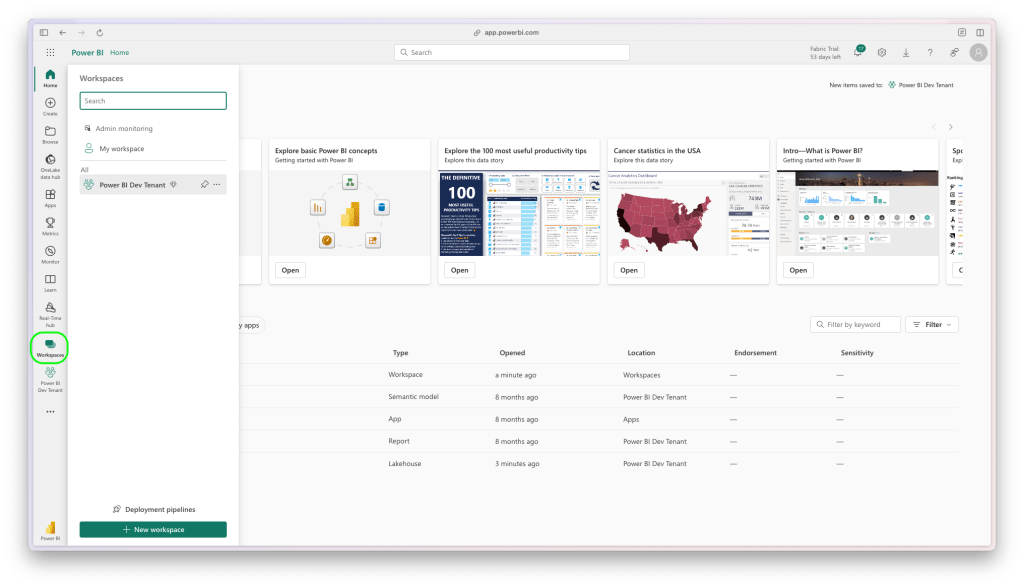
Navigate to workspace

Step 2: Select Your Semantic Model

In the workspace, click on your semantic model.
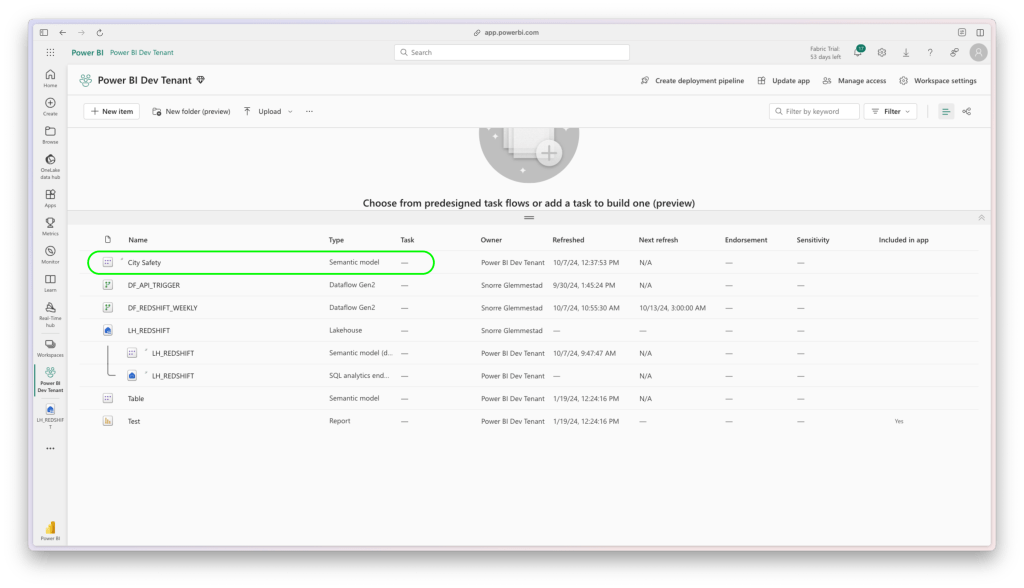
Click on Semantic model
Click on Semantic Model

Step 3: Open the Data Model

After selecting your semantic model, open the data model.
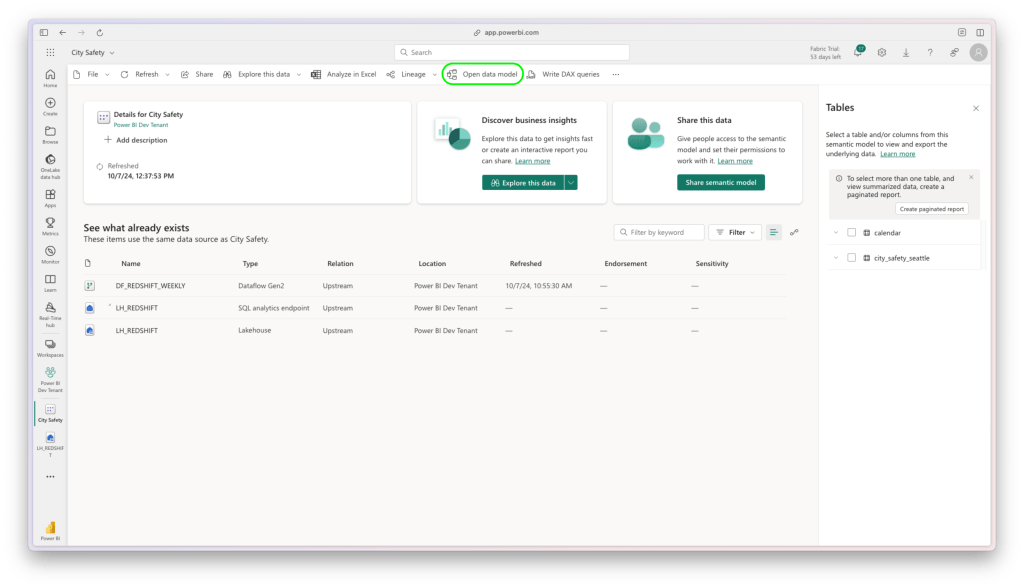
Open data model
Open Data Model

Step 4: Mark as Date Table (If Not Done Already)

This step is crucial if you are dealing with time intelligence functions. Mark the appropriate table as a date table.
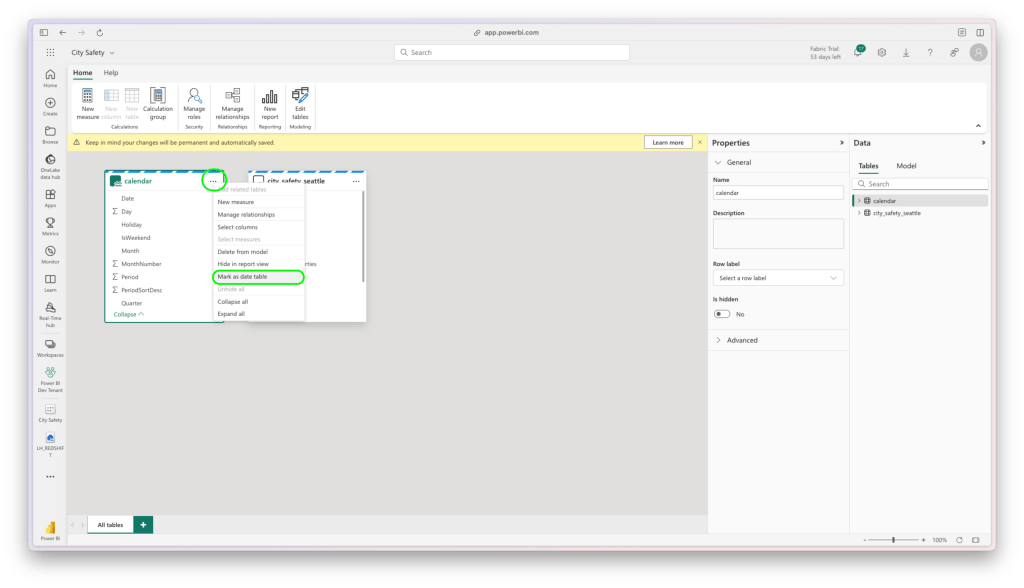
Mark as date table
Mark as Date Table
Save as date table
Save as Date Table

Step 5: Create a New Relationship

In the semantic model, select the column from your fact table and drag it to the corresponding column in the dimension table to create a relationship. Ensure the relationship is accurate by reviewing the relationship settings and then save the changes.
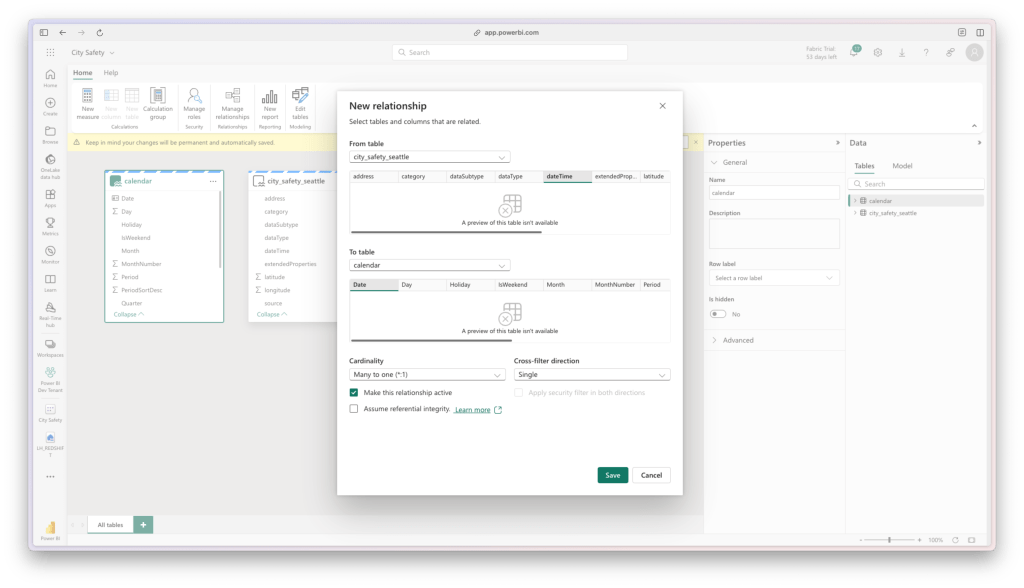
Create a relationship
Create a Relationship

Step 6: Verify the Relationship

Finally, verify the relationship by running a few queries or generating test reports to ensure the data joins correctly.
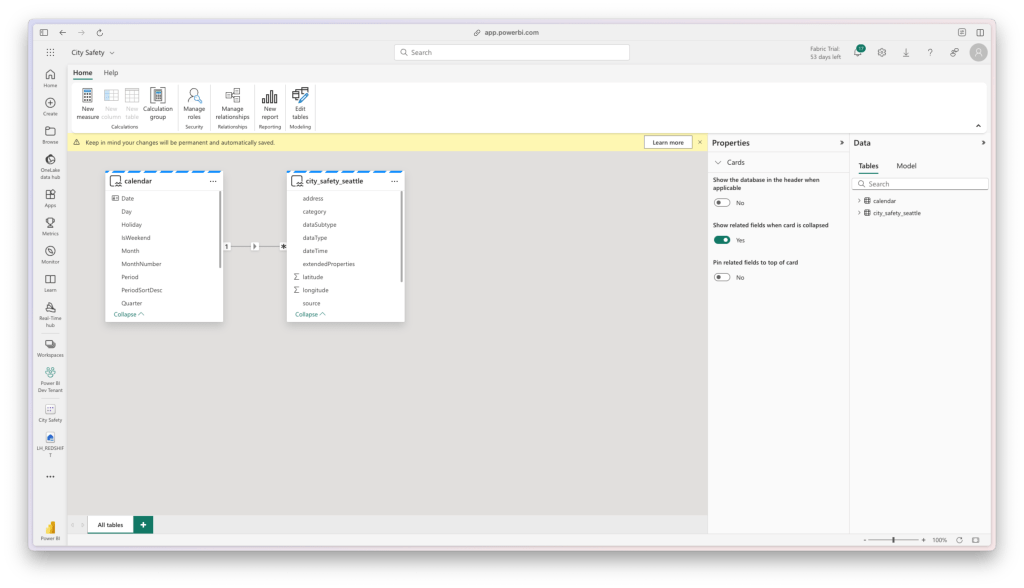
Relationship created
Relationship Created

Good work and have a great day!

I’m Snorre

I’m a Data Engineer and Business Analyst with a background in Economics. I love diving into data and turning it into something meaningful using tools like Microsoft Fabric, Power BI, and Azure Data Factory. Over the years, I’ve worked on everything from data migrations to building reports and dashboards that help organizations really make the most of their data.

I’ve had the chance to work in a variety of environments, and I’m all about creating solid, scalable solutions that drive digital transformation. I also enjoy sharing what I know through training sessions and webinars, always looking to help others get more comfortable and skilled with data.


When I’m not working on data projects or teaching, you’ll probably find me outdoors—whether I’m working in the forest, traveling, or just hanging out with friends and family. I also like getting involved in testing out new Microsoft features, giving feedback to make sure they’re as useful as possible before they’re released.

Let’s connect