If you are only seeing options to create Power BI and Data Activator elements, and the corresponding profiles in your workspace, it is possible that your Fabric administrator has restricted or disabled the ability to create other Fabric elements in the admin portal.

In such cases, you will not be able to create Fabric Pipelines, Dataflow Gen2, Notebooks, Lakehouses, Warehouses, Eventstreams, and other Fabric elements.

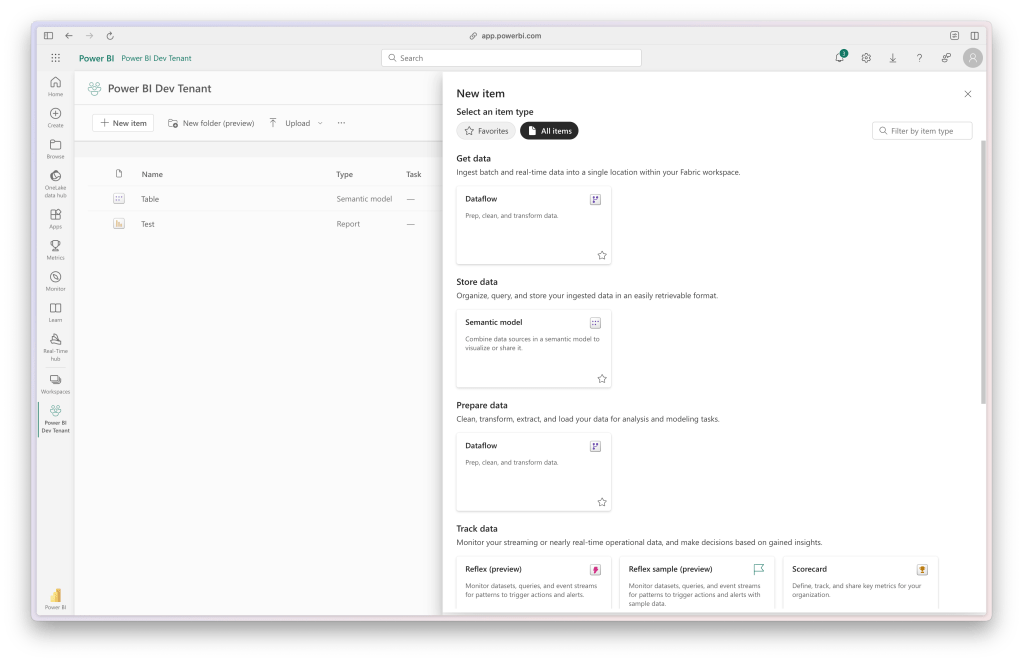
Missing Fabric Profiles
Missing Fabric Elements

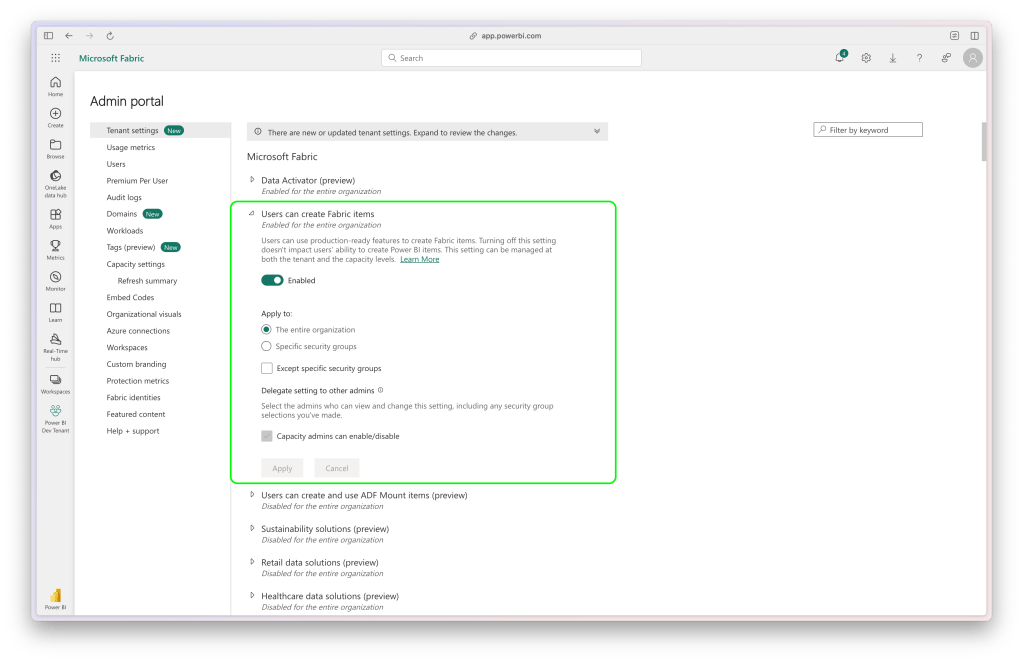
To resolve this, your Fabric administrator can enable the ability to create these additional Fabric elements in the admin portal.

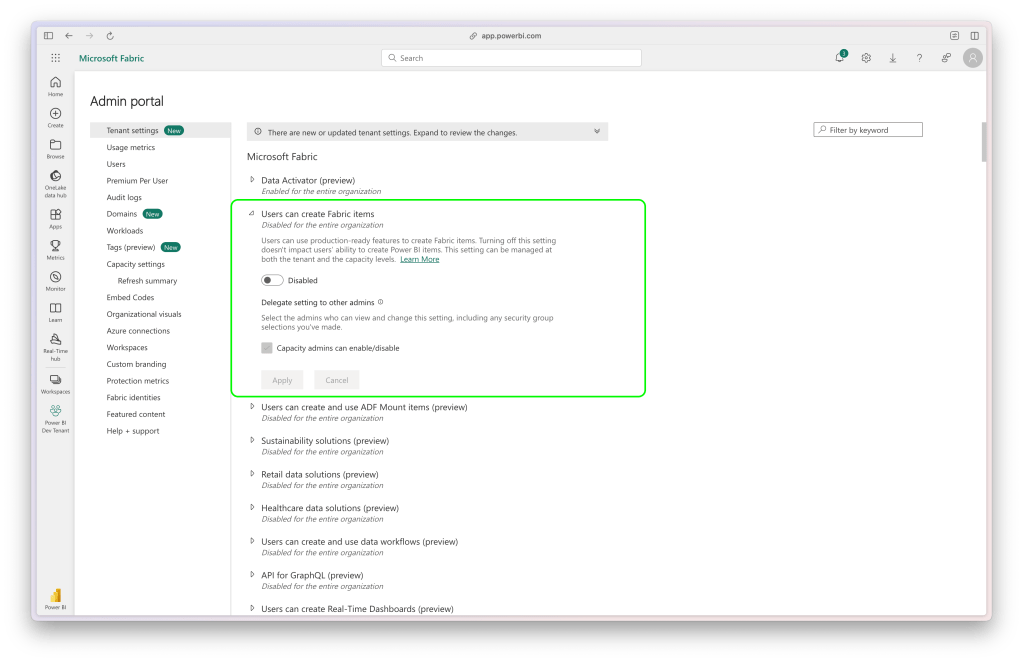
Admin Portal
Admin Portal
Fabric Elements Disabled
Enable Fabric Elements

After this change is made, you will be able to create a variety of Fabric elements within Microsoft Fabric / Power BI.

Fabric Profiles
Fabric Profiles
Fabric Elements
Fabric Elements

Have a great day!

I’m Snorre

I’m a Data Engineer and Business Analyst with a background in Economics. I love diving into data and turning it into something meaningful using tools like Microsoft Fabric, Power BI, and Azure Data Factory. Over the years, I’ve worked on everything from data migrations to building reports and dashboards that help organizations really make the most of their data.

I’ve had the chance to work in a variety of environments, and I’m all about creating solid, scalable solutions that drive digital transformation. I also enjoy sharing what I know through training sessions and webinars, always looking to help others get more comfortable and skilled with data.


When I’m not working on data projects or teaching, you’ll probably find me outdoors—whether I’m working in the forest, traveling, or just hanging out with friends and family. I also like getting involved in testing out new Microsoft features, giving feedback to make sure they’re as useful as possible before they’re released.

Let’s connect